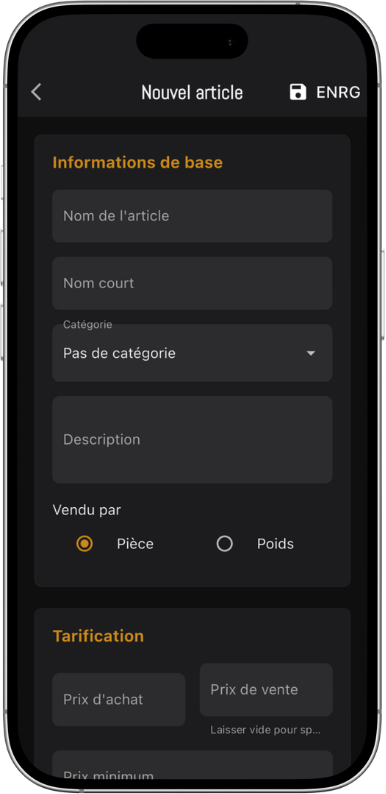
Open your product catalogue
In the inventory or products area, create an item. Give it a clear name and category. Add a receipt name or barcode when those fields are available.
Set price and units
Enter the selling price and purchase cost where appropriate. Choose a unit that matches how you sell: pieces, weight or measure. Check variants separately when sizes or colours have different stock.
Record opening stock
Choose the correct warehouse or location and enter the verified quantity. Save, find the item in your sales client, and check its price before selling. For bulk import, use the template provided by your release and test a small file first.